
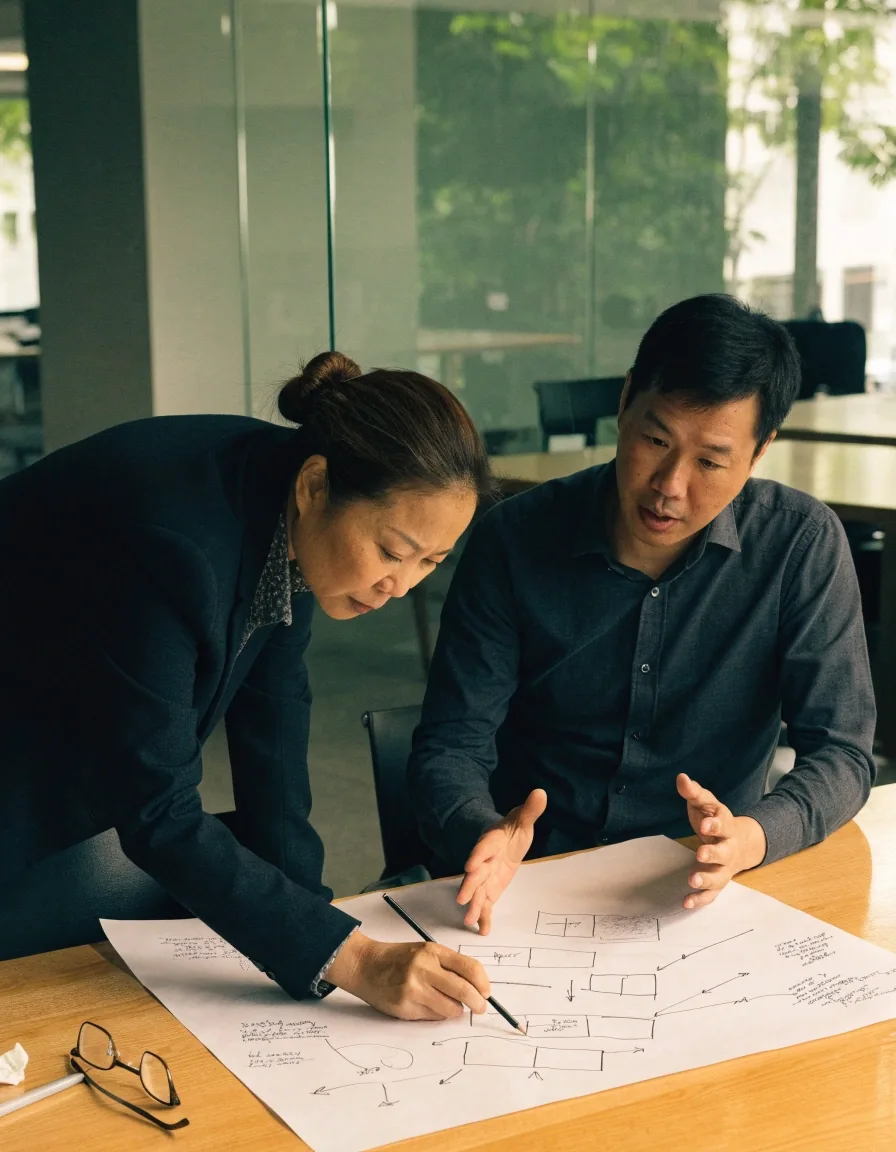

A web development team reviewing website layouts together in a bright studio

A stage-by-stage walkthrough

How a website project actually runs

A website build follows a fairly consistent shape, even when the tools change. Requirements come first, then structure, then design, then build, then launch, then the long stretch nobody plans for: maintenance.

What this article covers

Most of the work in a website project happens before anyone opens a design file, and a surprising amount happens after launch. This walkthrough follows the stages in the order they usually arrive for a Singapore business, from the first requirements conversation through to the maintenance routine that keeps a site alive years later. Along the way it flags where projects tend to stall — multilingual content discovered too late, placeholder text that survives into production, integrations that were never scoped.

Nothing here depends on one platform or one tool. The stages stay roughly the same whether a project ends up on a content management system, a store platform, or something built from scratch.

Requirements: deciding what the site is for

The first stage is not design. It is agreeing on what the site must achieve. A site that generates enquiries needs a different structure from one that supports an existing sales team, or one that hosts a customer portal for people who are already paying for something. Those three jobs pull the layout in different directions, and picking a direction after the design is drawn is expensive.

Requirements work means writing down the audiences, the actions you want from them, and the content you already have. It is a short document in most projects — a page or two — but it settles arguments later, because the group can point at a written decision instead of relitigating it in a review meeting.

In Singapore, a common gap is multilingual content: teams often plan an English site and then discover a second language is needed after launch. Better to settle that before design starts.

Two people mapping a website's purpose on paper at a meeting table

Requirements work is usually a page or two, not a strategy deck. The value is in writing the decisions down while they are still cheap to change.

The map before the pages

Information architecture and content

A sitemap and a set of page templates. The step projects skip when they are in a hurry, and the one they regret.

Information architecture is the map of your site: which pages exist, how they relate, and how someone moves from a landing page to the action you want. It is usually expressed as a sitemap and a set of page templates — a generic product page, a generic article page, a contact page — rather than as finished screens.

Content belongs here too, because a page template is only useful if you know what fills it. Projects that skip this stage end up with placeholder text that survives into production, which is a quiet but common failure. Nobody notices until a customer reads a sentence that was written to be replaced.

The practical test is whether the sitemap accounts for every action in the requirements document. If a form is supposed to collect enquiries, there needs to be a page for it, a thank-you state after submission, and somewhere the notification lands.

What the architecture stage produces

  • A sitemap

    Every page that will exist, grouped by audience and by how often it changes.

  • Page templates

    A small set of reusable page shapes instead of a bespoke design for every URL.

  • Navigation rules

    What sits in the main menu, what is only reachable from a section, and how deep a visitor has to click.

  • A content list

    What text, photos and documents are needed for each template, and who is supplying them.

A web developer working at a studio desk at dusk, screens glowing

Choosing between a CMS, a store platform, and custom development

Most business sites fall into one of three buckets. The decision should follow the requirement, not a preference for one tool — and the three options are not ranked, they simply fit different jobs.

A content management system

WordPress and similar systems suit sites that change often and are edited by non-technical staff. Pages, menus and articles are managed from a browser, and the platform handles the parts nobody wants to rebuild.

Fits when: the site is mostly publishing and enquiries, and the team wants to edit it without a developer in the loop.


A commerce platform

Shopify and comparable platforms fit stores where the catalogue, checkout and order management are the core of the business. A commerce-first build makes more sense than a general-purpose site with a shop bolted on.

Fits when: selling is the point, and stock, shipping and returns need a real workflow behind them.

Custom development

Custom development is for cases where the site is really a web application: logins, dashboards, integrations, or workflows that no off-the-shelf platform covers well.

Fits when: the requirements describe behaviour, not just pages — accounts, calculations, or data moving between systems.

Plenty of projects mix two of the three: a content-managed marketing site alongside a small custom tool, for example. The useful question at this stage is not which platform is best in general, but which one carries the part of the requirement that is hardest to change later.

Design and UX/UI work

Design translates the architecture into screens a person can use. UX/UI design covers both the structure of a task and the visual treatment of it, and the two are usually done together — separating them tends to produce pages that look tidy and still leave visitors lost.

For a business site, the practical questions are whether a visitor can find what they need in a few clicks and whether the site works on a phone, which is where most Singapore traffic lands. Design decisions made here also set constraints for accessibility later: colour contrast, text size, focus states and how a form behaves when something goes wrong are easier to decide now than to retrofit.

A design phase that ends with a few representative screens and a written set of rules is usually more useful than a full set of polished pages. The rules carry into pages nobody drew yet.

A designer arranging printed screen mock-ups of a website layout on a desk

Build, integrations, and content entry

The build phase is where templates, components and any API integration get implemented. It is the longest stage in most projects, and the one where scope quietly grows if the earlier stages were vague.

Templates and components

The page templates from the architecture stage become real components: headers, cards, forms, footers. Building them once and reusing them is what keeps a site consistent as it grows, and it is why the sitemap matters more than any individual page design.

Integrations and third parties

Integrations are worth flagging early because they often involve third parties: payment providers, CRM systems, inventory tools or internal databases. Each one adds a dependency and a failure point, and each one has its own account, credentials and support channel. Deciding who owns that relationship is part of the work.

Content entry

Content entry runs alongside the build in a good project, so the site is populated as it is assembled rather than in a rush at the end. Real text in real templates exposes layout problems early, when they are still cheap to fix.

Where builds stall

Most delays come from decisions that were never made rather than code that is hard to write: a missing photo library, an integration nobody owns, a page whose purpose changed halfway through. Keeping a short list of open decisions visible to both sides prevents most of it.

Testing before launch

Testing is not just checking that pages load. It includes forms and their error states, redirects from old URLs, mobile behaviour, and how the site holds up on a slow connection.

Accessibility checks belong here too, since fixing them after launch costs more — both in effort and in the redesign work they drag along. A short pre-launch checklist covering these areas catches most of the problems that would otherwise reach customers.

  • Forms and error states

    Send a real submission. Check what the visitor sees when a required field is empty, and where the notification actually lands.

  • Redirects from old addresses

    Every URL that used to exist should point somewhere sensible. Broken links are quiet, and search engines notice them.

  • Mobile and slow connections

    Test on a real phone, not only in a resized browser window, and on a connection slower than the office wifi.

  • Accessibility basics

    Keyboard navigation, readable contrast, sensible headings, and labels on every form field. Cheap now, tedious later.

A small studio at the evening a website goes live, team watching the screen

Launch and the first weeks after

Launch day is a milestone, not the finish line. DNS changes, analytics verification and search engine indexing all happen in the days after go-live, and none of them finish on the same day.

It is normal to find small issues in the first weeks as real traffic hits the site in ways testing did not simulate. Keeping the development team available during this window is more valuable than a fast handover — the person who built the templates fixes a template problem in minutes.

Maintenance and updates

After launch, a site needs updates: platform security patches, plugin or dependency updates, content changes, and occasional structural work. Website maintenance is a recurring cost and should be budgeted as one, in time as well as money.

Sites that go unmaintained tend to fail gradually, then suddenly, usually when a platform drops support for an old version. The slow part is invisible — a plugin stops receiving updates, a dependency goes quiet — and the sudden part is usually a morning when something stops working.

A workable maintenance rhythm

  • Security updates — applied on a schedule, with a backup taken first so a bad update can be reversed.

  • Dependency checks — plugins and libraries reviewed for versions that are no longer supported.

  • Content changes — handled by the team that owns the site, with a developer on call for the parts that need one.

  • Periodic review — speed, broken links and outdated pages checked a few times a year rather than once a crisis.

When to rebuild instead of patch

There is a point where patching costs more than rebuilding. Signs include a stack nobody wants to touch, page speed that cannot be improved without structural change, or a design that no longer matches the business. None of those are emergencies on their own, but they tend to arrive together.

A rebuild is a project in itself and should go through the same stages as the original, ideally with the lessons from the first version written down. That written record is the cheapest part of a rebuild and the part most often skipped.

Two colleagues reviewing a printed sitemap on a studio wall while planning a rebuild

Questions readers ask about this stage list

Short answers to the things that come up most often when a business is planning its first proper website project.

How long do these stages usually take?

It varies too much to promise a number. What can be said is the shape: requirements and architecture are short and mostly meeting-based, design is medium, and build is the longest stage. Integrations involving a third party are the least predictable part of the schedule, because part of the work sits with someone else.

Can the stages run in a different order?

Some overlap is normal, and healthy. Content entry alongside build is the obvious example. What causes trouble is starting design before requirements are agreed, or launching before testing covers the forms — those reorderings move cost rather than remove it.

Do we need to pick a platform before we start?

No. It is better to finish the requirements stage first, because the platform choice follows from what the site has to do. Choosing a tool early usually means defending the choice later rather than evaluating it.

Who writes the content?

Usually the business, since it knows the customers. The architecture stage should produce a list of exactly what is needed — page by page — so the writing is a bounded task rather than an open one. Editing support can be arranged, but the raw knowledge has to come from the team that does the work.

An empty studio at early morning before the working day begins

Where to go next

This article covers the website side of a build. If your project also involves an app, or you are still deciding what the first version should contain, the two articles below pick up where this one stops.

ViewCircuit Digital — 71 Robinson Road, #14-01, Singapore 068895. Monday to Friday, 9:00 AM – 6:00 PM.